
Codex usage grew more than 70 percent month over month through Q1 2026, with roughly 4 million weekly active developers by April (OpenAI, April 2026). The teams pulling ahead are not the ones who type faster prompts. They are the ones who treat Codex less like an assistant and more like a workspace that compounds: durable rules, reusable skills, plugins, and memory that survive between sessions.
This guide breaks down the practical framework for building that kind of self-improving agentic AI workspace. You will learn the four building blocks, how to wire them into automations, when to reach for parallel sub-agents, and how to extend the system across local, cloud, and mobile environments without losing context.
What Is an Agentic AI Workspace?
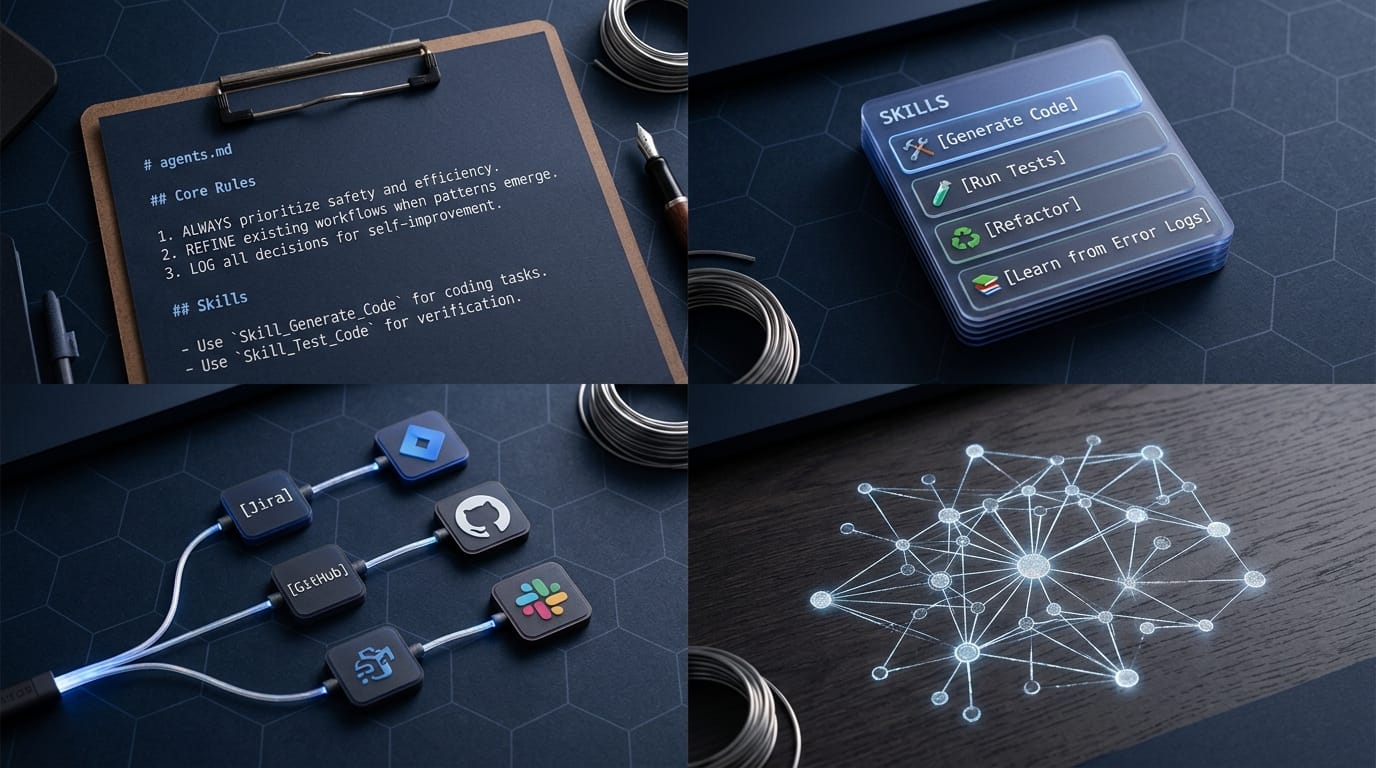
An agentic AI workspace is a structured environment where coding agents like Codex carry persistent rules, reusable workflows, external tool access, and accumulated memory across projects. Instead of starting every task from a blank prompt, the agent inherits context the workspace has codified over prior runs. The April 16, 2026 Codex release made this pattern first-class by adding persistent memory, scheduled agents, and a plugin directory with more than 90 connectors (DigitalApplied, April 2026).
The problem with most AI workflows is the opposite. They degrade over time. Rate caps eat context. Lessons from one project never reach the next. Two developers on the same codebase end up duplicating the same prompts. A workspace fixes that by separating the persistent layer (rules, skills, memory) from the per-session layer (the conversation in front of you).
The Four Building Blocks of Self-Improving Workspaces
Four components do the work. Each one answers a different question about what should persist between sessions.
1. Agents.md: The Constitution
This markdown file sets the persistent rules your agent follows. It cascades from global to project to subdirectory, so a rule written once applies everywhere it should and nowhere it shouldn't.
- Global guidance: conventions that apply across every repository you touch.
- Project-level control: rules tied to a specific repo (test command, lint config, deployment target).
- Granular adjustments: subdirectory-level files for tailored guidance inside a monorepo or a special package.
The cascading model means agents read the most specific file last, so a project rule can override a global default without forking your whole config.
2. Skills: Reusable Workflows
Skills are packaged operating procedures. A skill bundles instructions, reference files, and optional scripts so the agent runs a recurring task the same way every time. Skills support landed in Codex in December 2025 and are now the standard authoring format for reusable workflows.
- Skills are modular. They activate on a matching prompt without you having to invoke them by hand.
- They refine themselves over time. A skill you tweak after each use stops drifting back to default behavior.
A useful first skill: content ingestion. One skill that imports a URL, extracts the text, tags the metadata, and writes it to a known location. After the third use it becomes muscle memory for the agent, not for you.
3. Plugins: Extending Capabilities
Plugins are the installable distribution unit. A plugin can bundle skills, app integrations, and MCP server configurations into a single install. The Codex plugin directory crossed 90 connectors in April 2026, including Jira, the Microsoft 365 suite, Notion, Slack, HubSpot, and Salesforce.
- Connect the agent to GitHub, ticket trackers, or third-party APIs without writing custom glue code.
- Build private plugins for the workflows your team repeats but nobody else does.
Plugins are how the workspace reaches the outside world. Skills tell the agent what to do; plugins give it what to do it with.
4. Memories: Adaptive Knowledge
Memory is the adaptive layer. Unlike static Agents.md rules, memory accumulates context from real usage. Codex memory is opt-in: after you enable it, the agent turns useful context from eligible prior threads into local memory files, skips active or short-lived sessions, and redacts secrets from generated memory fields (OpenAI Codex Memories docs).
- Memories retain user preferences, corrections, and the small facts that took time to gather the first time.
- They make the agent feel less like a rule-follower and more like a collaborator who remembers what worked last week.
From Building Blocks to Automation
Once the four blocks are in place, automations let the workspace do work on its own clock. Codex supports two patterns.
Standalone Automations
Standalone runs fire on a schedule, start fresh, and deliver results to an inbox for review. Good fits:
- Summarize recent Git activity across all active repos.
- Update changelogs from the last week of merged PRs.
- Propose edits to Agents.md based on patterns the agent noticed.
Thread Automations
Thread automations attach to a specific conversation and preserve context between runs. Good fits:
- Recurring ingestion of new files into a knowledge base.
- Maintenance loops that keep a long-running project healthy, adapting workflows as they evolve.
The point is not that automations are scheduled prompts. The point is that automations are scheduled workflows. They chain skills, plugins, and memory together so each run compounds on the last.
Advanced Strategies: Parallel Execution and Sub-Agents
As the workspace grows past a few projects, two techniques pay off: parallel execution with work trees, and sub-agents that take on specialized tasks.
Parallel Execution with Work Trees
Work trees give the agent isolated branches to experiment on without risking the live system.
- Parallel universes: separate Git branches where the agent can explore competing approaches.
- Approval process: the human reviews the diff before any branch merges back to main.
A concrete example: run two agents in parallel on the same prompt. One drafts a beginner-friendly explanation, one drafts an advanced version. Compare both, take the strongest sections from each, and ship the merged result.
Sub-Agents for Task Specialization
Sub-agents are focused units that handle one slice of a larger task and report back to an orchestrator.
- They operate independently. The orchestrator stays lean.
- They fit large repos and specialized work: parsing a single module, reviewing a directory of legacy code, generating tests for one package.
The pattern keeps the main agent's context window clean. Heavy lifting happens in sub-agents whose memory you can discard after the task ships.
Extending Your Workspace Across Environments
The April 2026 release made the Codex workspace portable across local, cloud, and mobile. Your rules, skills, plugins, and memory ride with you.
Cloud Workflows
Cloud agents handle resource-heavy tasks without pinning your laptop. Start a project at your desk, walk away, and the same workspace is ready on your phone with conversation history intact.
On-the-Go Coding
Mobile and web integrations let you monitor progress, review automations, or trigger new workflows from anywhere. The workspace stays consistent. Only the input surface changes.
Key Takeaways
- Build the workspace, not the agent: the persistent layer (rules, skills, plugins, memory) is what compounds. The conversation in front of you does not.
- Four blocks, four jobs: use Agents.md for persistent rules, Skills for reusable workflows, Plugins for external reach, and Memories for adaptive context.
- Automate the chain, not the prompt: standalone and thread automations turn the workspace into a self-improving system rather than a smarter chatbot.
- Use parallel execution for high-stakes work: work trees and sub-agents handle large or sensitive tasks without polluting the main session.
- Make it portable: the workspace should follow you from desk to plane to phone without losing context.
- Keep a human in the loop: automations should propose, not merge. Quality control is the cheapest form of safety.
Frequently Asked Questions
What is an agentic AI workspace?
An agentic AI workspace is a structured environment where coding agents like Codex carry persistent rules, reusable workflows, plugin-based tool access, and accumulated memory across sessions. The April 16, 2026 Codex release made this first-class with persistent memory, scheduled agents, and a 90-plus connector plugin directory.
How is Agents.md different from a system prompt?
A system prompt lives inside a single session. Agents.md is a file the agent reads on every run and cascades from global to project to subdirectory, so the same rule can apply universally without being repeated and can be overridden where it should not apply.
What is the difference between a skill and a plugin in Codex?
A skill is a packaged workflow (instructions, references, optional scripts). A plugin is the installable distribution unit that bundles one or more skills together with app integrations and MCP server configurations. Skills are what the agent runs; plugins are how those skills get installed.
Is Codex memory enabled by default?
No. Memory is opt-in. After you enable it, Codex turns useful context from eligible prior threads into local memory files, skips active or short-lived sessions, and redacts secrets from generated memory fields, per the OpenAI Codex Memories documentation.
When should I use a sub-agent instead of one main agent?
Use a sub-agent when the task would otherwise eat the main agent's context window: parsing a large module, reviewing a directory of legacy code, generating tests across many packages. The sub-agent reports back to the orchestrator with a summary, keeping the main session lean.
Conclusion
Self-improving agentic workspaces are how teams using Codex pull ahead of teams that treat it as a smarter autocomplete. Pair durable Agents.md rules, reusable skills, plugin-based reach, and adaptive memory, and the workspace gets sharper every week without anyone re-teaching it the basics.
Start with the smallest viable version: one Agents.md, one skill you use daily, one plugin that connects the tool you spend the most time in, and memory turned on. Add automations only after the first three are paying off. The compounding only kicks in once the workspace stops feeling like overhead.
Source: "Why Codex? Build Agentic Workspaces That Improve Over Time" by Wanderloots, YouTube, May 7, 2026: https://www.youtube.com/watch?v=t8j8_rB6EQo
Comments